Why RetroFeVLC?
Built for Blazing-Fast Performance
RetroFeVLC delivers unmatched performance. It scrolls from game #1 to game #2350 in only 1 minute — pure speed without compromises. No other frontend comes close.
Watch the Speed DemoThe VLC Engine Revolution
Forget the limitations of old frameworks. RetroFeVLC is a true next-generation evolution that replaces GStreamer with the powerful VLC Media Library. This delivers flawless 4K Pre-Scale rendering and a rock-solid, leak-free architecture built for arcade stability.
Whether you have 500 or 50,000+ games, enjoy ultra-smooth navigation and superior video playback that transforms your collection into a premium cinematic experience.
The Start.exe Ecosystem
Stop struggling with text files. Our custom Start.exe serves as the central brain, giving you a clean, powerful GUI to control your entire setup instantly.
- Zero-Config Setup: Intelligent gamepad integration.
- Marquee Mastery: Native support for secondary monitors.
- Kiosk Mode: Transform Windows into a dedicated console.
- Ultra-Fast Search: Find any game instantly by title, system or genre via controller.
Breathtaking Visuals
Push boundaries with 3D Effects & Warp perspective. Thanks to Per-Game Layouts, every title can have its own unique, handcrafted visual identity.
The Elite Choice
Ranked among the top 5 retro gaming frontends in 2026. RetroFeVLC combines lightweight performance with premium features and complete creative freedom — without the bloat.
Full Jukebox Mode
RetroFeVLC can also be used as a complete Jukebox. Save custom lists, recall them instantly, control volume, enable repeat, repeat track and shuffle. Create up to 32 individual lists per collection.
One-Click Organization
Organize your view instantly by clicking. Sort by Year, Manufacturer, Genre, Metadata and more — no menus, no configuration files needed.
Rich Metadata Support
New metadata fields: Artist, Album, Track Number and Disc Number. Perfect for music and multi-disc collections.
Smart Layout Engine
Automatic text resizing, multi-grid support, independent configuration per display, and background layer (layer 20) when launching smaller windows. Animations on secondary displays when no primary is active.
Latest Updates
Documentation & Guides
Official Online Wiki
Comprehensive online documentation, XML layout tutorial, configuration guides, architecture deep-dive, and troubleshooting steps.
Official Community Forum
Connect with fellow retro gamers! Ask questions, share custom layouts & themes, post feature requests, and get official support.
Offline PDF User Guide
RetroFeVLC Comprehensive User Guide — 35 pages. Complete manual covering Quick Start, Directory Structure, Editors, Collections and advanced features.
Essential Addons
Powerful tools that work together to make RetroFeVLC faster, smarter, and easier to use.
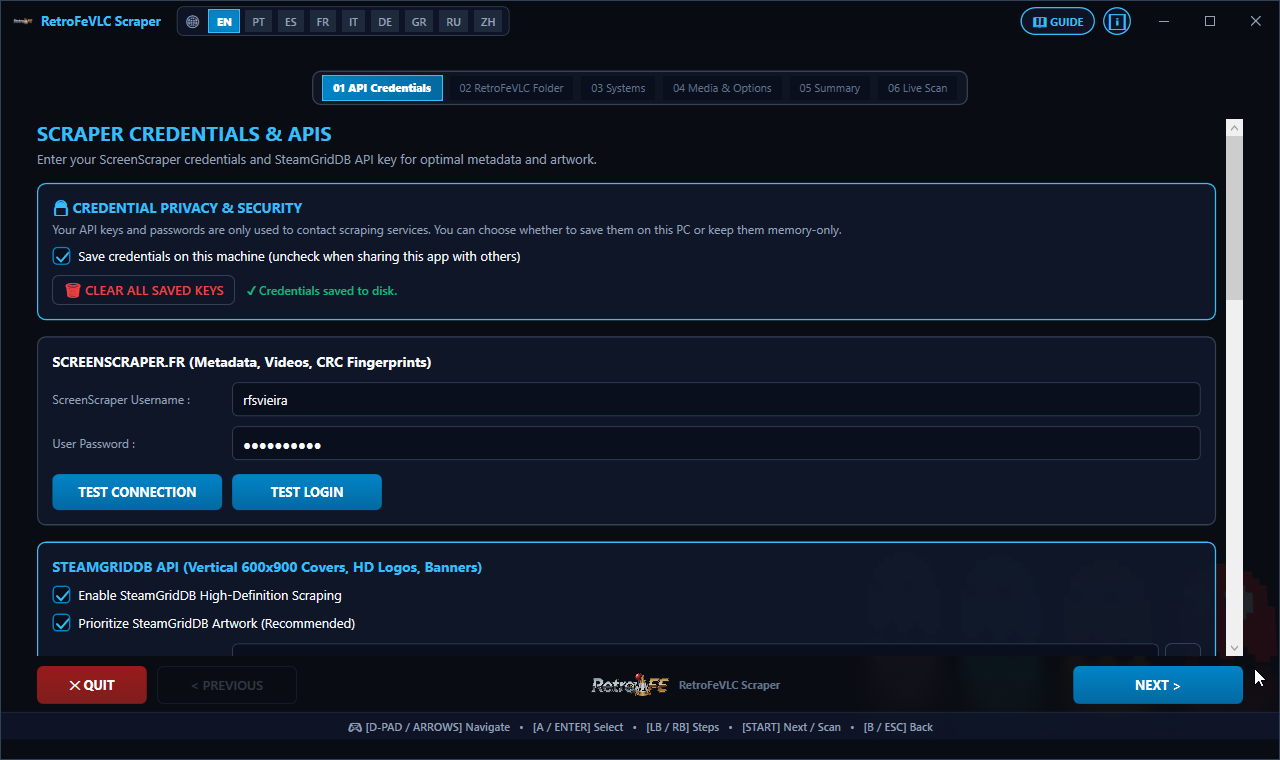
RetroFeVLCSkraper
Universal Multi-Service Artwork ScraperComprehensive artwork scraper integrating ScreenScraper.fr, SteamGridDB, EmuMovies, TheGamesDB, IGDB & Libretro CDN. Fast multi-source downloads for covers, marquees, wheels & metadata.
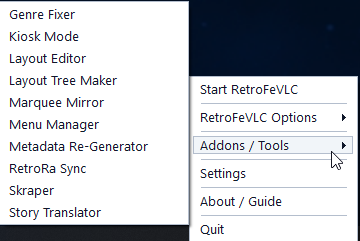
The brain of the system. Auto-launches everything, syncs playlists, manages gamepads, and provides a powerful system tray menu.
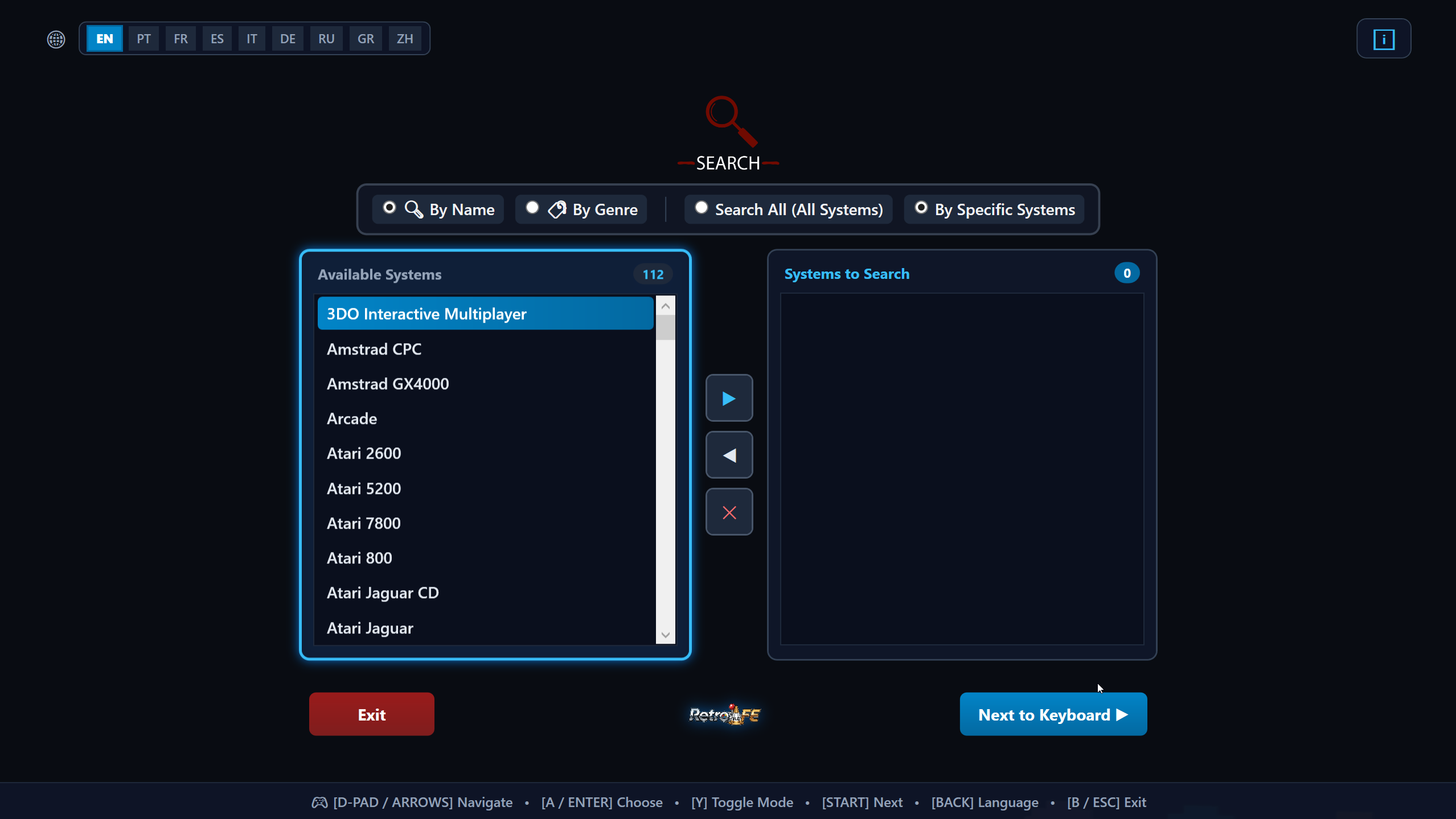
Lightning-fast search by title, system or game genre across your full library. Fully gamepad friendly.
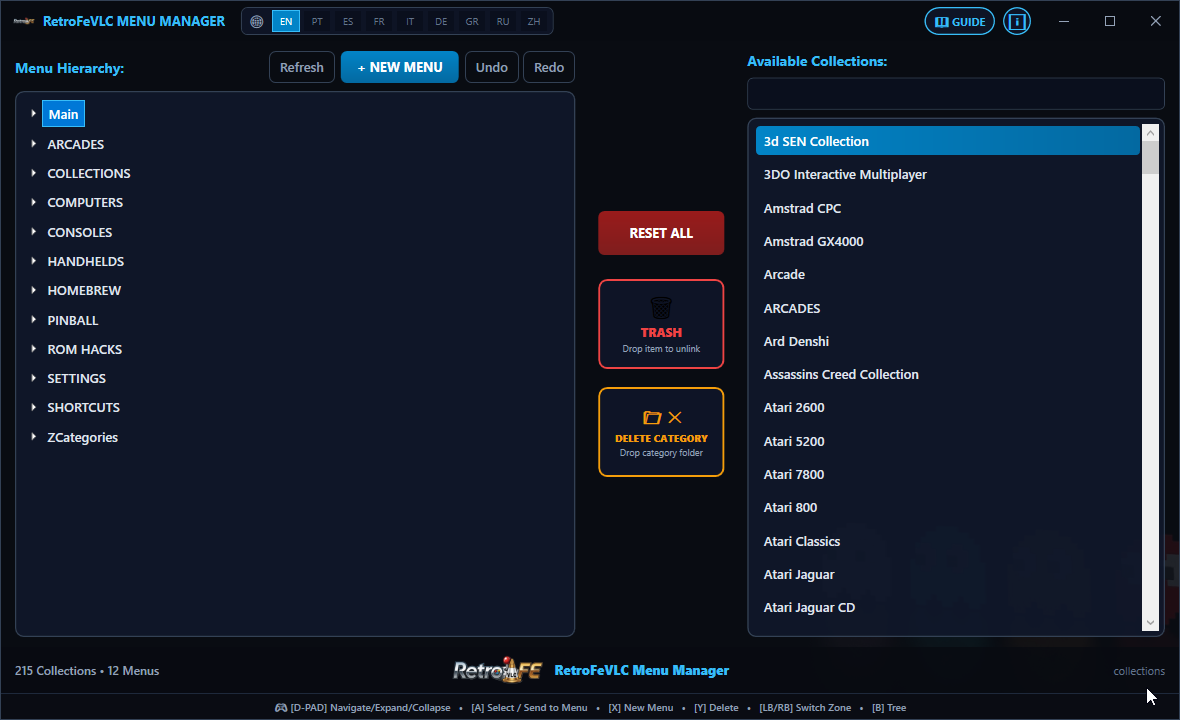
Visual drag-and-drop menu editor. Create, reorder and organize categories easily.
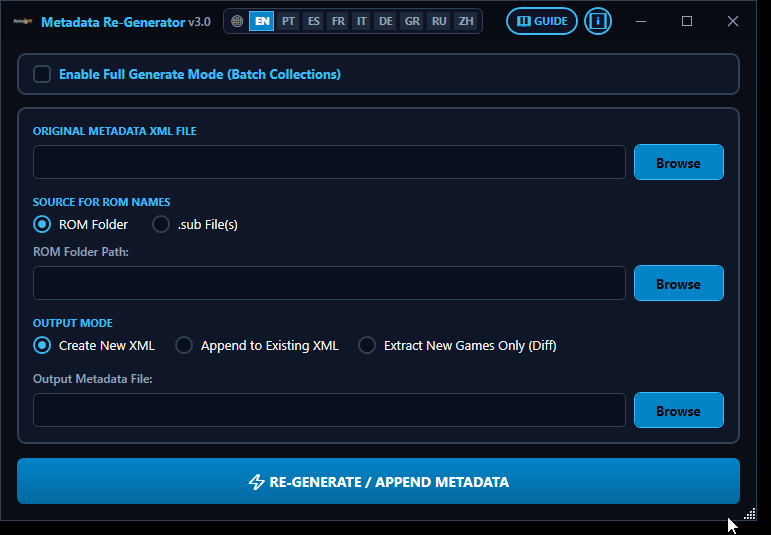
Creates optimized smaller hyperlists and shows accurate game counts.
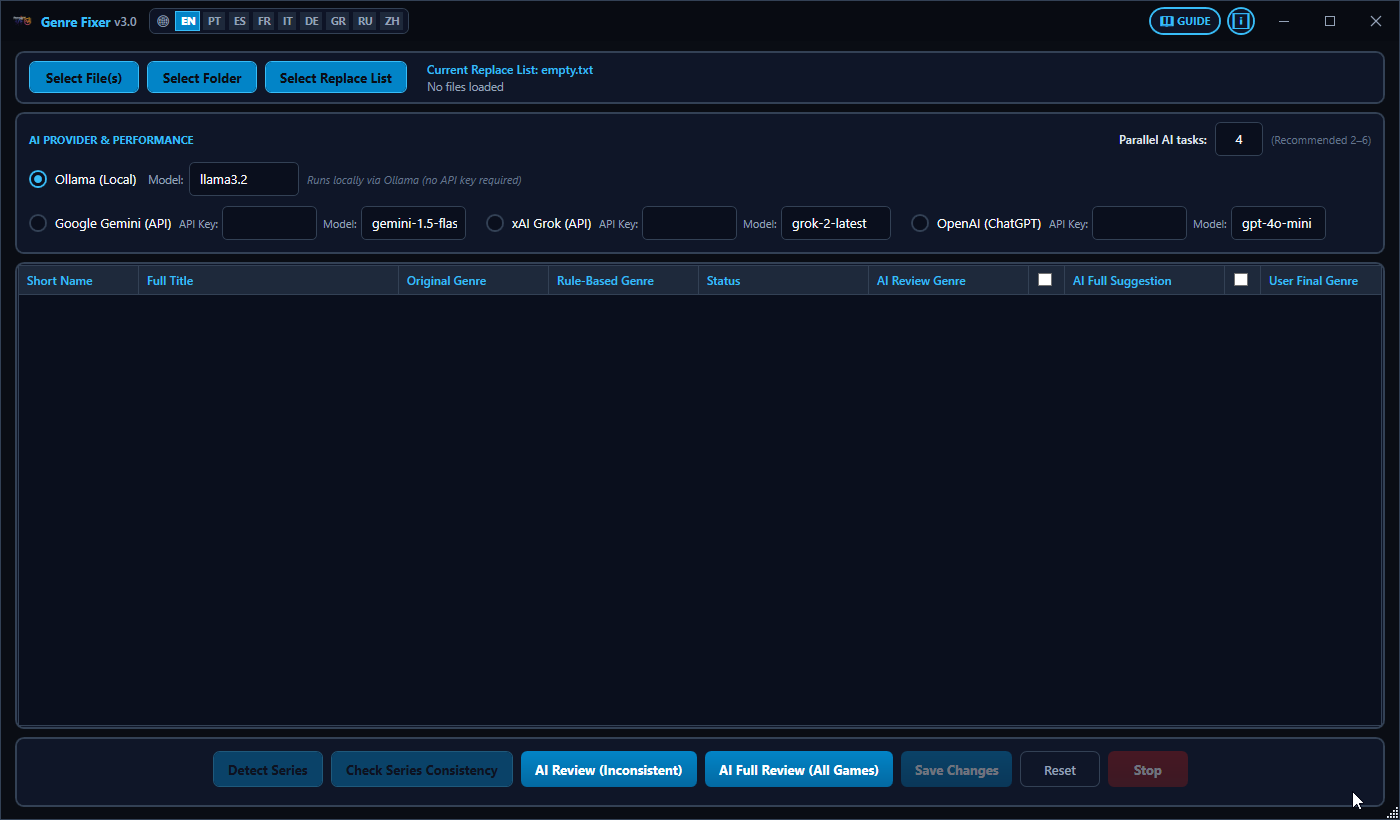
AI-powered automatic genre correction across your entire collection.
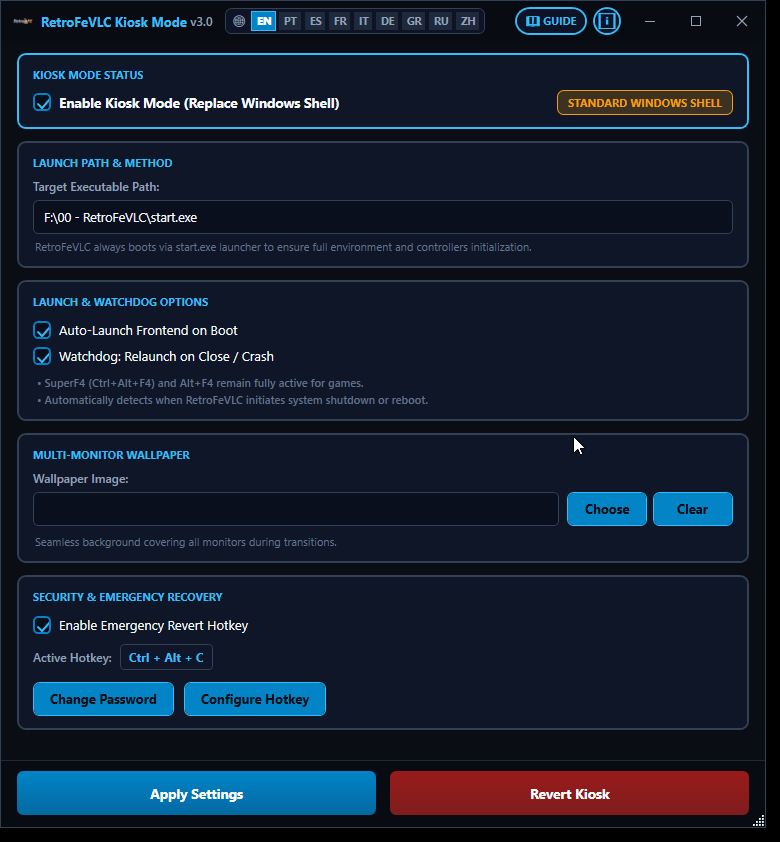
Locks Windows into a dedicated console with auto-relaunch and password protection.
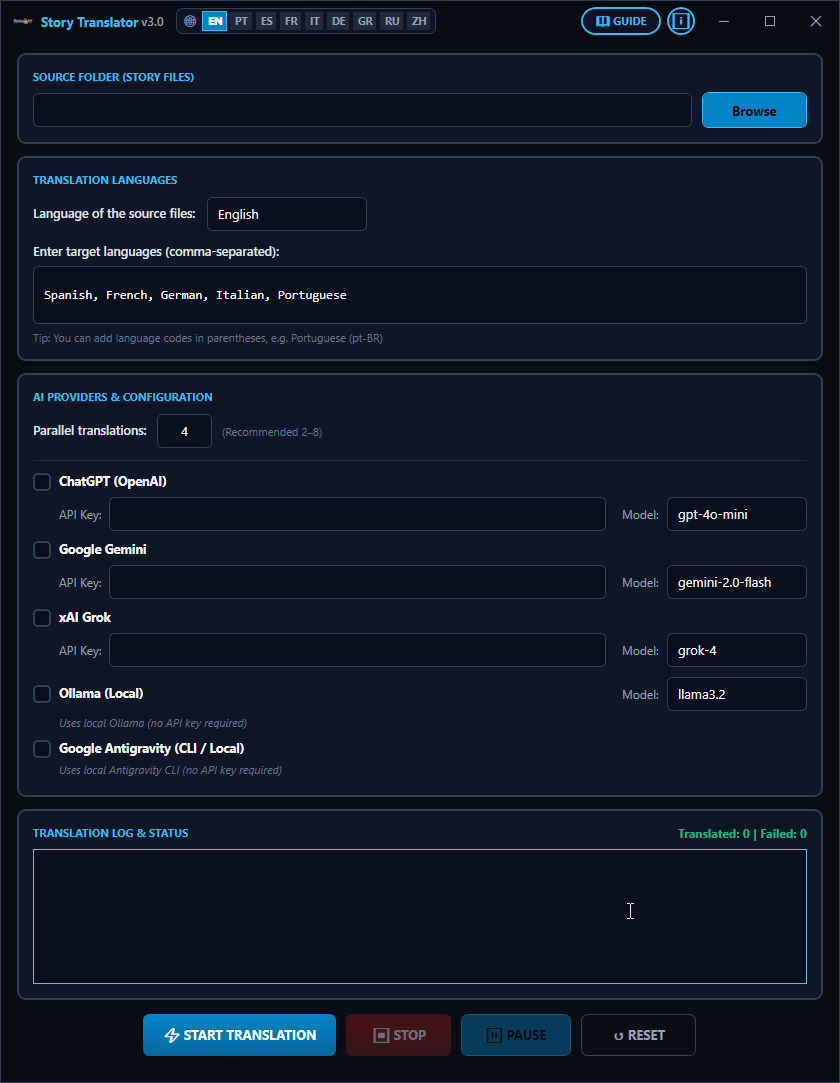
AI translation of game stories into multiple languages.
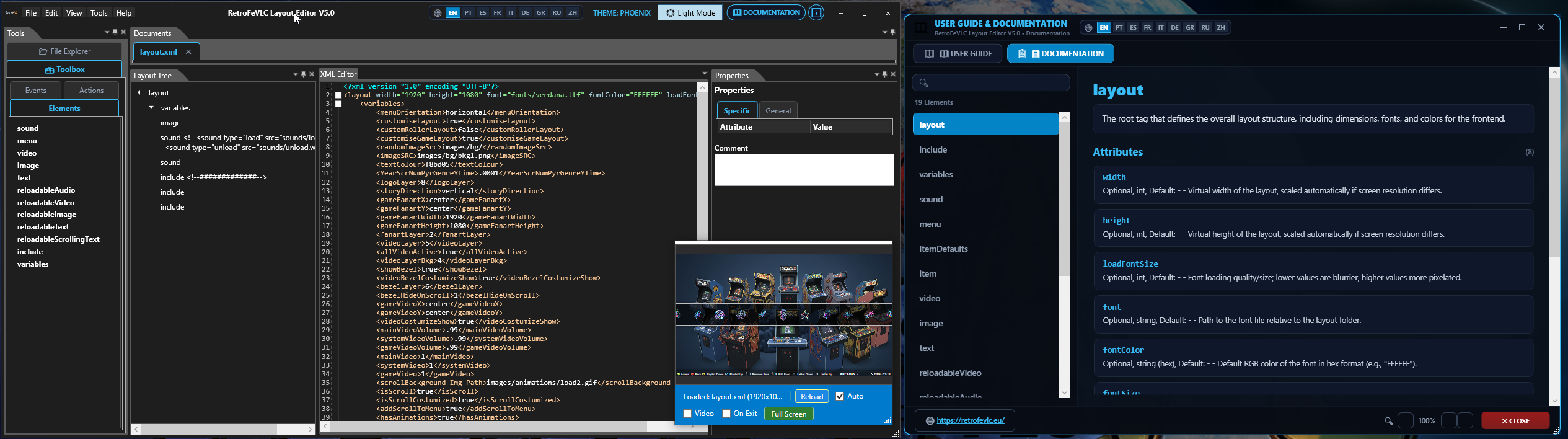
Visual theme editor with real-time graphical preview, making it easy to design, preview, and adjust layouts without launching RetroFeVLC.
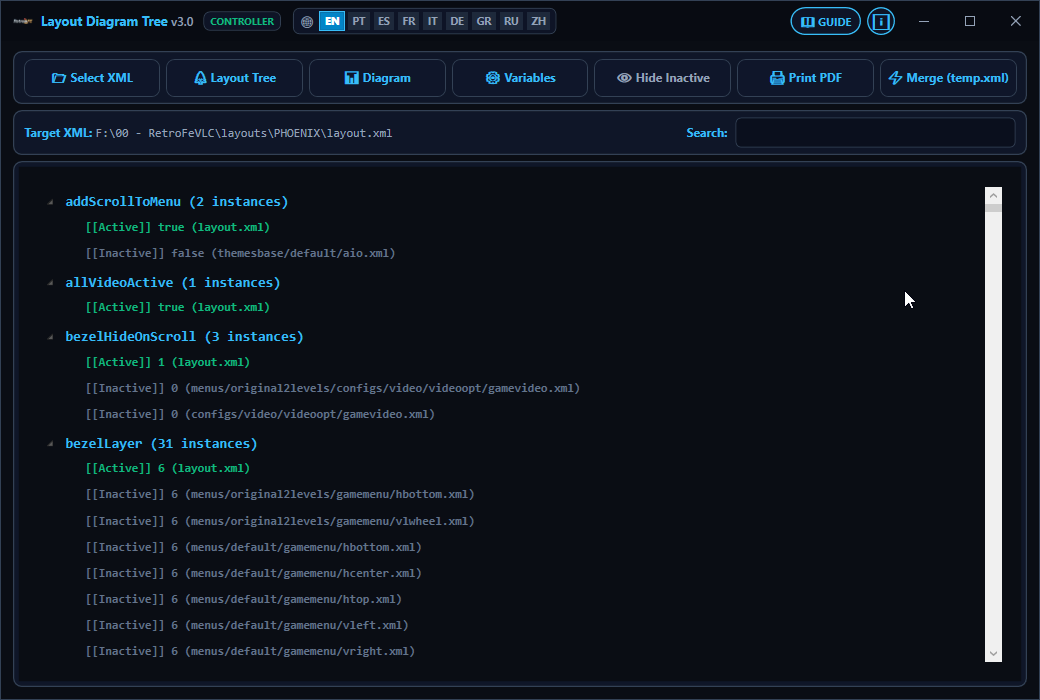
Diagnostic and compilation tool that maps modular XML theme dependencies (<include>), tracks variable overrides, and consolidates all XML files into an optimized temp.xml.
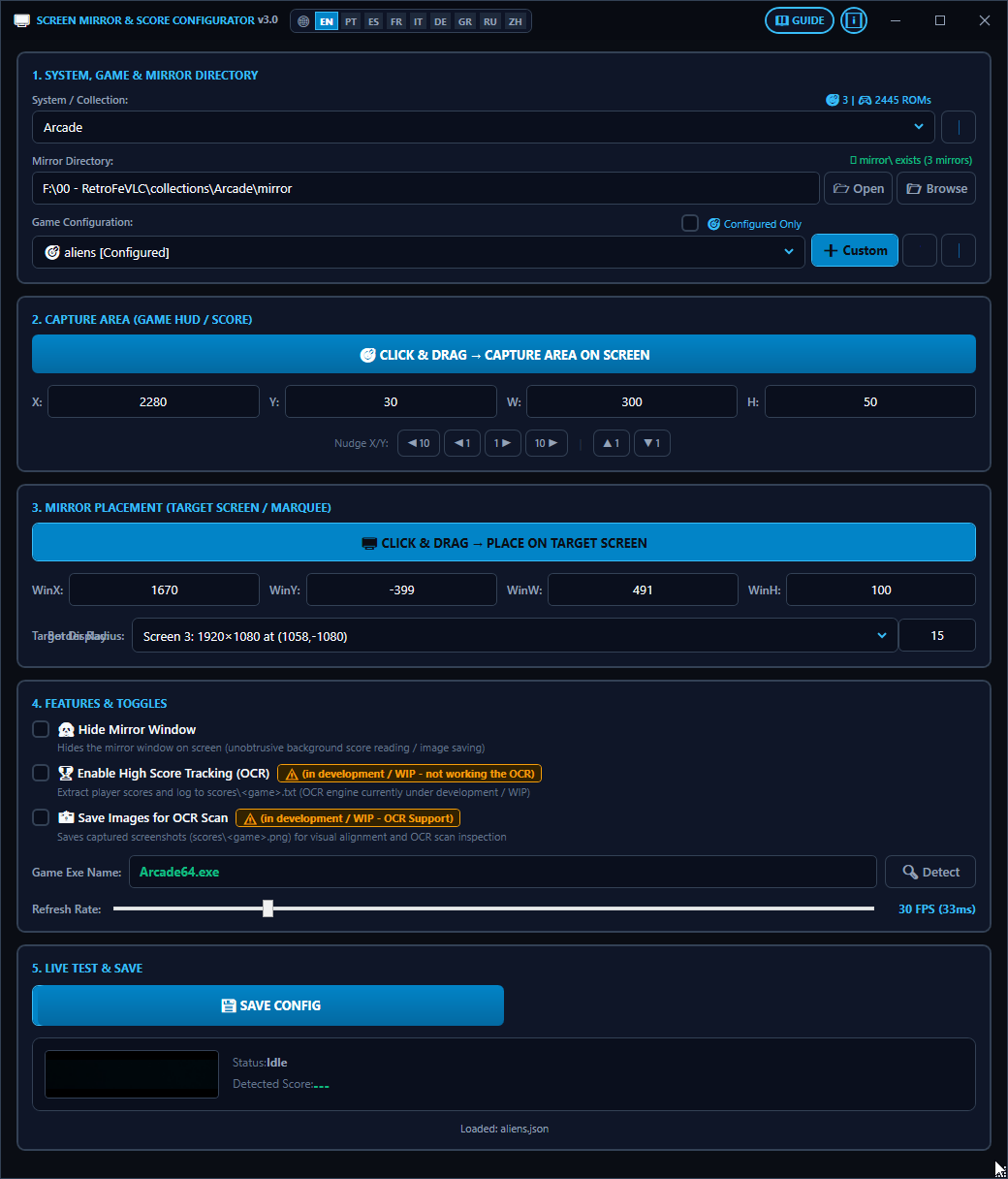
Mirrors gameplay to your marquee monitor with full control via JSON.
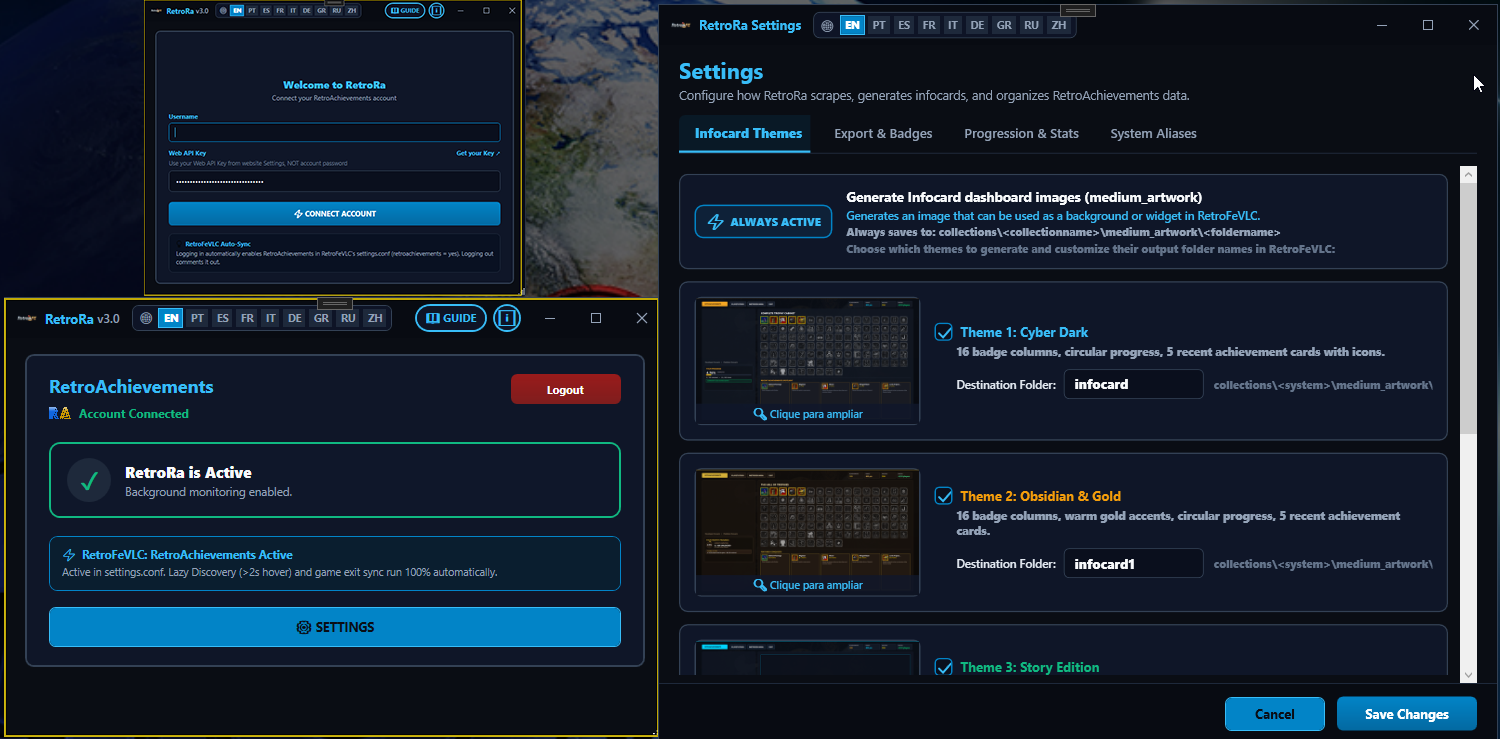
Syncs RetroAchievements progress into your frontend for beautiful stats.
2026 Windows Frontend Comparison
| Feature / Capability | RetroFeVLC (2026) | RetroFE (Legacy) | RetroBat | LaunchBox / BigBox |
|---|---|---|---|---|
| Cost / License | Free (Open Source) | Free (Open Source) | Free | Freemium ($75 Lifetime) |
| Video Playback Engine | VLC Engine (4K Pre-scale) | GStreamer (Legacy) | FFmpeg / VLC Engine | Windows Media / VLC |
| Setup Style | Portable Plug & Play | Manual / Advanced | Auto Installer | Installer + Wizard |
| Visual Customization | Infinite Per-Game Layouts | Basic / Custom (Manual) | Theme Presets | Advanced Themes (Big Box) |
| Theme / Layout Creation | Visual GUI + XML Editor | XML Code / Text | EmulationStation Theme | Advanced (Premium) |
| Portability (USB / External drive) | 100% Portable (Zero Registry) | 100% Portable | Portable | Partially Portable |
| Zero-Config Gamepads | Yes (Auto-mapped) | Manual Mapping | Yes (Auto-mapped) | Yes (Wizard) |
| RetroAchievements Sync | Native Addon (RetroRa) | No | Yes (via ES) | Yes (Big Box) |
| Multi-language UI | 10 Languages Built-in | English Only | Multi-language | Multi-language |
RetroFeVLC delivers modern features and ease of use while keeping total flexibility — ideal for those seeking raw power without complexity.
Join the RetroFeVLC Community
Get help, discover new themes, share your arcade builds, and connect with fellow creators.